How can I create a supplier product?

In this chapter we will explain how create a new supplier product.

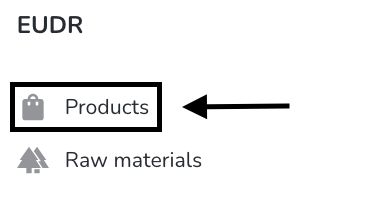
To create a new supplier product click on Products under EUDR.Screenshot 2024-11-13 at 13.56.26
Click on supplier products.

Screenshot 2024-11-13 at 14.44.42

Click on new product.Screenshot 2024-11-13 at 13.57.37

Insert the products name and click on create.Screenshot 2024-11-13 at 13.58.10

The new own product has been created. You can now start filling the information regarding the product.Screenshot 2024-11-13 at 13.58.41


Was this article helpful?
0 out of 0 found this helpful
Have more questions? Submit a request

Comments

0 comments

Please sign in to leave a comment.